We use cookies
We use necessary cookies to make the site work, and optional ones for functionality and analytics. You decide. Read the privacy policy.
Overview of how you may use Team Hub and Discord on Esport Arena.
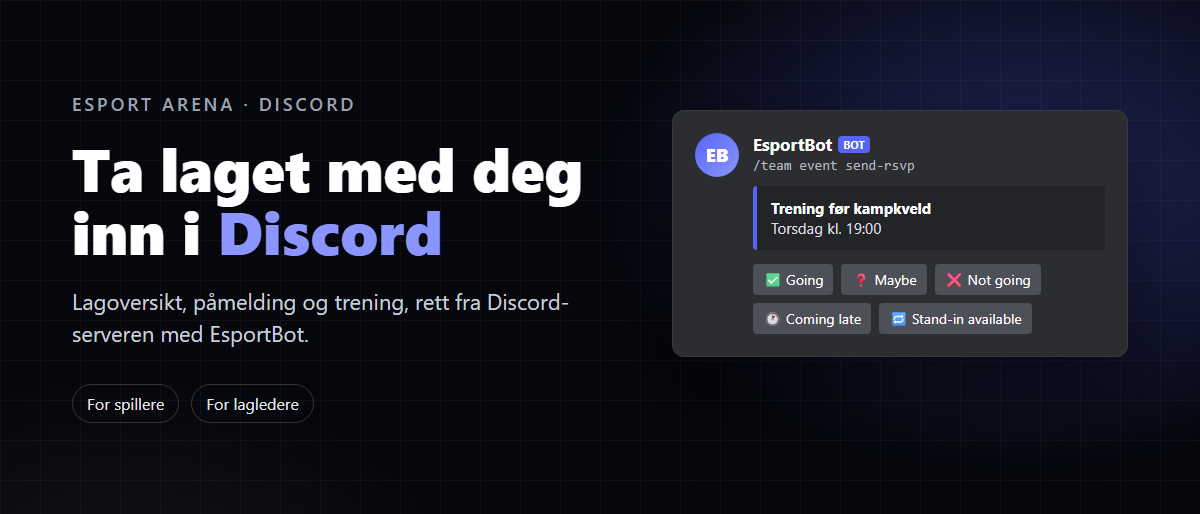
Most teams in Esport Arena use Discord for day-to-day activities: arranging practice, finding a last-minute substitute and keeping up with tournaments. The team itself, tournament registrations and results, however, are managed on earena.no.
EsportBot connects the two on our Discord servers. Your teams on earena.no automatically appear in Discord, and any changes you make using the bot’s commands are saved on the website. Here are the main things you can use it for, whether you are a player or a team manager.
Everything in this article depends on one thing: linking your Discord account to your earena.no profile. You can do this on your profile page.
Without that connection, the bot does not know who you are. You will not receive your tournament roles, you will appear as unlinked in the team roster, and your team manager will not be able to invite you through Discord. Many players have yet to link their accounts. If you are a team manager, it is a good idea to ask everyone on your team to do this before the next tournament.
You can check that everything is correct with /esportarena whoami. It shows your profile, the teams you belong to and your role on each one.
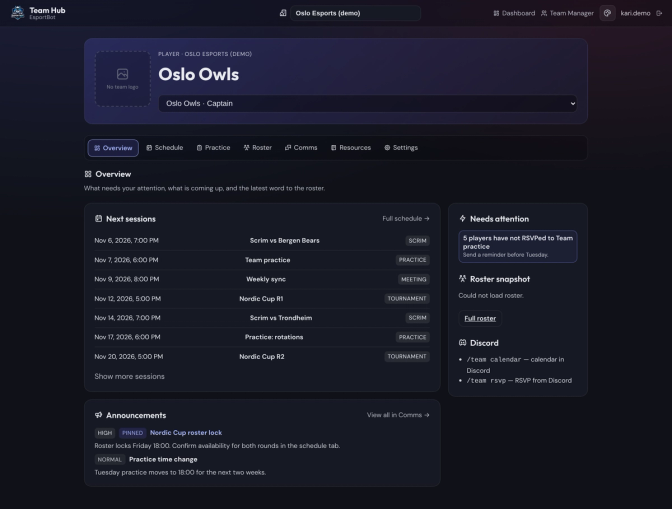
From Team Hub, the team manager can create a dedicated space for the team on the server, provided the server has team channels enabled. This space includes its own category with a text channel and a voice channel, plus a team role that grants access. Players on the team receive the role automatically.
Often, the most frustrating part of being on a team is not losing, but not knowing who will turn up. Team Hub has a shared schedule where the team manager can add practice sessions, scrims, matches, tournaments, VOD reviews, team meetings or tryouts.
For each event, the bot can send every player a message with five response options: attending, maybe, not attending, arriving late and available as a stand-in. Responses are collected in the Hub, making it easy to see whether you have enough players. The team manager can send a reminder to anyone who has not responded, either by direct message or in the team channel.
All times in the Hub are shown in the server’s time zone, while Discord displays them in each player’s local time. No one needs to convert the times themselves. If you want the team’s events in your own calendar, you can subscribe to the team calendar.
Practice without a plan can quickly turn into an evening of random matches. In Team Hub, the team manager or coach can create a plan for each session, including focus areas, an agenda, a warm-up and what to practise. Players can view the plan before practice starts.
After the session, players can leave a rating and feedback in the same place, and the team manager can record what worked. This makes it easier to see what you should work on next time.
Team Hub works both in Discord and in your browser. /teamhub gives you a link to your team’s portal, where you sign in with Discord. There, you can view the full schedule, practice sessions, team roster and announcements.
If you prefer to stay in Discord, /myteam displays your team with buttons for the most common actions. /team info displays a team card with the players and upcoming events.
Team Hub pulls your team information from earena.no, and you can perform several of the website’s actions directly from Discord. Changes are saved on earena.no immediately. Team managers and club owners can use the commands to manage the team.
/esportarena addplayer. The player accepts the invitation on earena.no. Use /esportarena removeplayer to remove players; this is also the command to use if you want to leave a team yourself. Use /esportarena setrole and /esportarena setposition to assign roles and positions, and /esportarena setleader to appoint another captain./esportarena register registers the team for a tournament, while /esportarena withdraw withdraws it. If the tournament requires check-in, use /esportarena checkin./esportarena tournaments to view tournaments and /esportarena results to view the final standings once the results have been approved.When the organiser starts the tournament in Discord, players automatically receive the role and access to the channels for their division. The bot also posts updates in the news channel when registration opens, when results are ready, and when someone joins or leaves a team.